
Work orders
Transform Proposals Into Trackable Action
Generate work orders instantly from approved proposals, linking all relevant details into a centralized, actionable record.
Everything Linked in One Place
Once a customer accepts a proposal, a work order can be generated instantly, linking all relevant details into a centralized record.

Services

Complete service descriptions automatically pulled from the approved proposal

Timelines
Project schedules and deadlines linked directly to the work order

Pricing
All cost information transferred seamlessly from the proposal

Client Information
Customer contact details and project requirements in one view

Detailed Instructions
Each work order contains detailed instructions ensuring accurate completion

Attachments
Relevant documents and files attached directly to the work order
Streamline Project Management
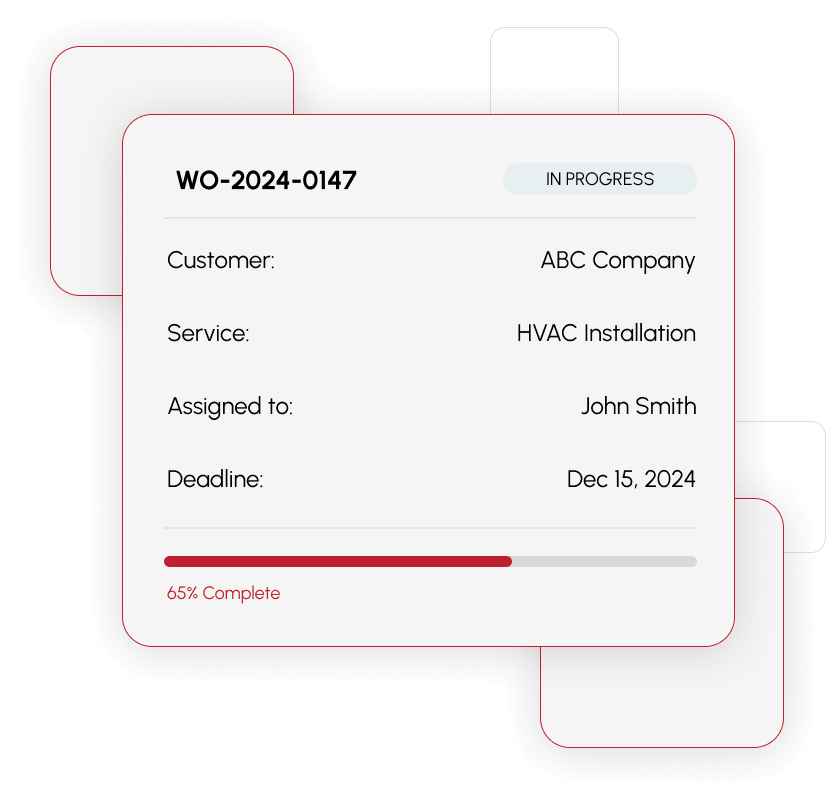
Work Orders streamline project management by allowing teams to assign tasks to field technicians, schedule appointments, and monitor progress from start to finish.

Assign to Field Technicians
Distribute work orders to the right team members based on skills and availability

Schedule Appointments
Set customer appointments and coordinate timing across your team

Monitor Progress
Track every project from start to finish with real-time status.
Maintain Quality Across All Franchise Locations
Work Orders provide a clear, accountable system for managing every service or project from acceptance to completion

Detailed Instructions

Clear Deadlines
Headquarters Dashboard

Performance
Monitor

Completion Rates
Track

Brand Standards
Ensure
Built for Franchise Organizations
Franchise organizations benefit from standardized Work Orders that maintain consistent service quality across locations.
- Headquarters can monitor performance across all locations
- Track completion rates to identify trends and opportunities
- Ensure brand standards are met consistently
- Local teams can adapt schedules and resources to meet specific customer needs
Stay Connected in Real Time
Integration with ClientTether’s automation tools keeps all stakeholders informed throughout the project lifecycle.

Automated Reminders
Teams receive reminders automatically to keep projects on schedule

Status Updates
Update work order statuses directly through the system in real time

Direct Communication
Communicate directly through the system, keeping all stakeholders informed
Ready to streamline your work orders?
Transform approved proposals into trackable work orders and manage every project from start to finish

FAQs
Once a customer accepts a proposal in ClientTether, you can easily generate and send a work order to a specific subcontractor or team member with a couple clicks. All proposal details, pricing, and scope automatically transfer to the work order with your subcontractor or team member pricing calculated effortlessly.
Yes, work orders can be assigned to individual technicians or subcontractors.. Assignments trigger automatic notifications, and work order recipients can view and approve their work orders on mobile devices or their computers.
Work orders provide status tracking to ensure all parties have agreed to complete the work assigned. This can be seen from the Job Board within ClientTether.
Work orders include all services to be performed, project timelines and deadlines, contractor pricing and client contact information and address, special instructions or requirements, and attachments like photos.