
Quickbooks integration
Bridge the Gap Between Sales and Finance
Automate financial data flow between your CRM and accounting system in real time
Why Connect ClientTether to QuickBooks?
Sync your sales and accounting systems for complete financial visibility

Automatic Data Capture
When a sale is closed in ClientTether, the system can automatically create or update invoices in QuickBooks, saving time and reducing manual entry errors.

Seamless knowledge transfer
Two-way sync ensures your CRM and QuickBooks always show the same information. No more manual updates between systems.

Make strategic decisions
Gain clear visibility into revenue trends, outstanding balances, and customer payment histories without jumping between systems.

Onboard and coach
For franchises or multi-unit organizations, this integration provides unified reporting and accounting efficiency across every location.

Engage prospects and customers
Every transaction is captured accurately and efficiently, helping you stay organized, compliant, and confident in your financial records.

Make pipeline and forecasting easy
Track revenue opportunities and forecast cash flow with complete visibility into your sales pipeline and accounting data.
Part of Your Complete Growth Engine
QuickBooks integration pairs seamlessly with ClientTether’s Proposal and Payment Processing tools, allowing businesses to manage everything from quote to cash inside one ecosystem.
-
 Proposals
Create quotes automatically generate invoices when accepted -
 Payment Processing
Collect payments that sync instantly to accounting records -
 QuickBooks Sync
Keep your books accurate with automatic data sync


What Gets Synced?
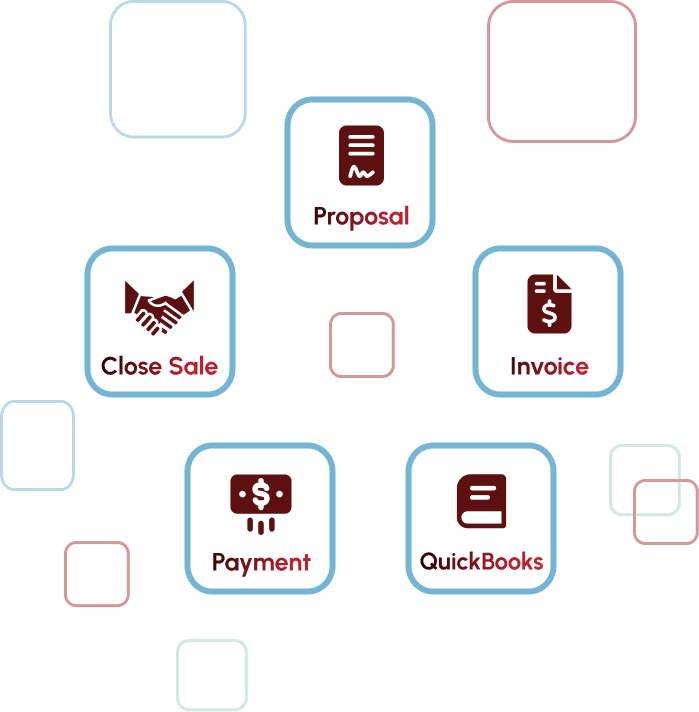
Customer info, invoices, and payments move seamlessly between systems
 Customer Information& Contact Details
 Invoices from Closed Sales
 Payment Updates(Two-Way Flow)
 Revenue Trends &Payment Histories
From Manual Chaos to Automated Clarity
See what changes when your CRM and accounting system work as one
-
 Invoices generate automatically when you close a sale
-
Real-time syncing eliminates reconciliation work
-
Accurate records with zero duplicate entry
-
See complete financial picture picture in one platform
-
Unified reporting across all territories instantly
 Invoices generate automatically when you close a sale
Ready to connect your CRM and accounting?
Stop wasting time on duplicated data entry and start focusing on growth

Frequently Asked Questions
The integration automatically syncs customers, invoices, payments, and financial data between ClientTether and QuickBooks in real time or on a scheduled basis. You can customize which data syncs and how often.
Yes, once integrated, data entered in ClientTether automatically flows to QuickBooks, eliminating the need to enter the same information twice. This saves time and prevents errors from manual data transfer.
The system monitors sync status and alerts you to any issues immediately. You'll receive notifications about sync errors, can review detailed logs, and our support team can help resolve any conflicts quickly.
Yes, you have full control over sync settings. You can choose which data types sync, set sync frequency, map fields between systems, and exclude specific records or categories as needed.